

Choosing your first startup tech stack feels simple until every team needs a different login, every tool bills per seat, and nobody remembers who approved the annual plan. The most common SaaS buying mistakes for startups are rarely about picking a “bad” product. They usually come from buying too early, skipping the fine print, or letting tools spread without a clear owner.
This guide explains how to avoid overspending and tool sprawl when choosing SaaS tools for startup operations. It covers seat pricing, integrations, free-plan limits, security settings, data export, cancellation terms, duplicate tools, and a practical buying checklist founders can use before approving a subscription.

The short answer: buy for workflows, not for excitement
A startup does not need a perfect stack on day one. It needs the smallest set of reliable tools that supports the work happening now: selling, building, billing, supporting customers, managing tasks, storing files, and communicating internally.
SaaS is attractive because it is fast to deploy and usually does not require servers or a large IT team. The U.S. National Institute of Standards and Technology describes software as a service as a cloud model where the provider’s applications run on cloud infrastructure and users access them through clients such as browsers or apps. That convenience is exactly why it is easy to sign up for too many tools too quickly. You can read the NIST definition in NIST Special Publication 800-145.
The better buying question is not “Is this tool popular?” It is “Which recurring job will this tool do, who owns it, what will it cost at 5, 10, and 25 users, and how hard will it be to leave?”
A simple rule for early-stage SaaS decisions
Before buying a new app, write one sentence: “We are buying this tool so that [team/person] can [specific workflow] without [current problem].” If the sentence is vague, the need is probably not ready for a paid subscription.
Why startup tech stack mistakes become expensive
Early SaaS costs often look harmless. A $12 monthly seat feels small compared with payroll, product development, or customer acquisition. The problem is multiplication: seats, add-ons, storage, automation runs, premium support, and annual renewals can turn a small decision into a fixed operating cost.
There is also a hidden cost: confusion. If customer notes live in one CRM, sales tasks in another app, onboarding updates in a project tool, and renewal reminders in someone’s calendar, the company loses time stitching together basic information. Tool sprawl makes reporting harder, slows onboarding, and increases the chance that important data is trapped in a system nobody fully manages.
For productivity tools specifically, the problem is often not the software but the lack of operating rules around it. The same issue appears in personal and team task systems; this article on common task management mistakes that make to-do lists overwhelming is useful if your team is adopting project or task software for the first time.
Common SaaS buying mistakes for startups
1. Buying tools before defining the workflow
Many founders buy a tool after seeing a demo, a competitor recommendation, or a social media thread. The tool may be excellent, but if the underlying workflow is messy, software only makes the mess faster.
For example, a startup may buy a customer relationship management platform before deciding what counts as a qualified lead, who updates deal stages, and when a handoff from sales to onboarding happens. The result is a paid database full of inconsistent records.
Before purchasing, document the workflow in plain language. For a CRM, list the lead sources, required fields, deal stages, owner roles, and weekly reporting needs. For a project tool, define how tasks are created, assigned, prioritized, and closed.
2. Underestimating seat pricing
Seat-based pricing is one of the easiest places to miscalculate startup software costs. A plan that looks affordable for three founders may look very different after adding contractors, support staff, sales hires, advisors, or external collaborators.
Do the math before approving a tool. If a product costs $20 per user per month, five users cost $100 per month before taxes, add-ons, or annual commitments. Twenty-five users cost $500 per month. If the vendor charges separately for advanced permissions, analytics, automation, or support, the actual cost can rise again.
Ask these questions:
- Does every user need a paid seat, or are viewer/commenter roles free?
- Are contractors, clients, or agencies billed as full users?
- Are inactive users automatically billed until removed?
- Can seats be reduced mid-contract, or only at renewal?
- Does the price change when moving from monthly to annual billing?
3. Treating free plans as permanent
Free plans are useful for learning, prototyping, and very small teams. They stop being enough when the limits affect daily work. Typical free-plan limits include user caps, storage caps, automation limits, export restrictions, missing security controls, limited history, or basic support only.
A free plan becomes risky when important company data accumulates inside it but the team has not checked the upgrade path. Before relying on any free tool for operations, review what happens when you need more users, more records, more storage, or better permissions.
The key is not to avoid free tools. It is to avoid building a critical workflow on a plan you do not understand.
4. Buying duplicate tools without noticing
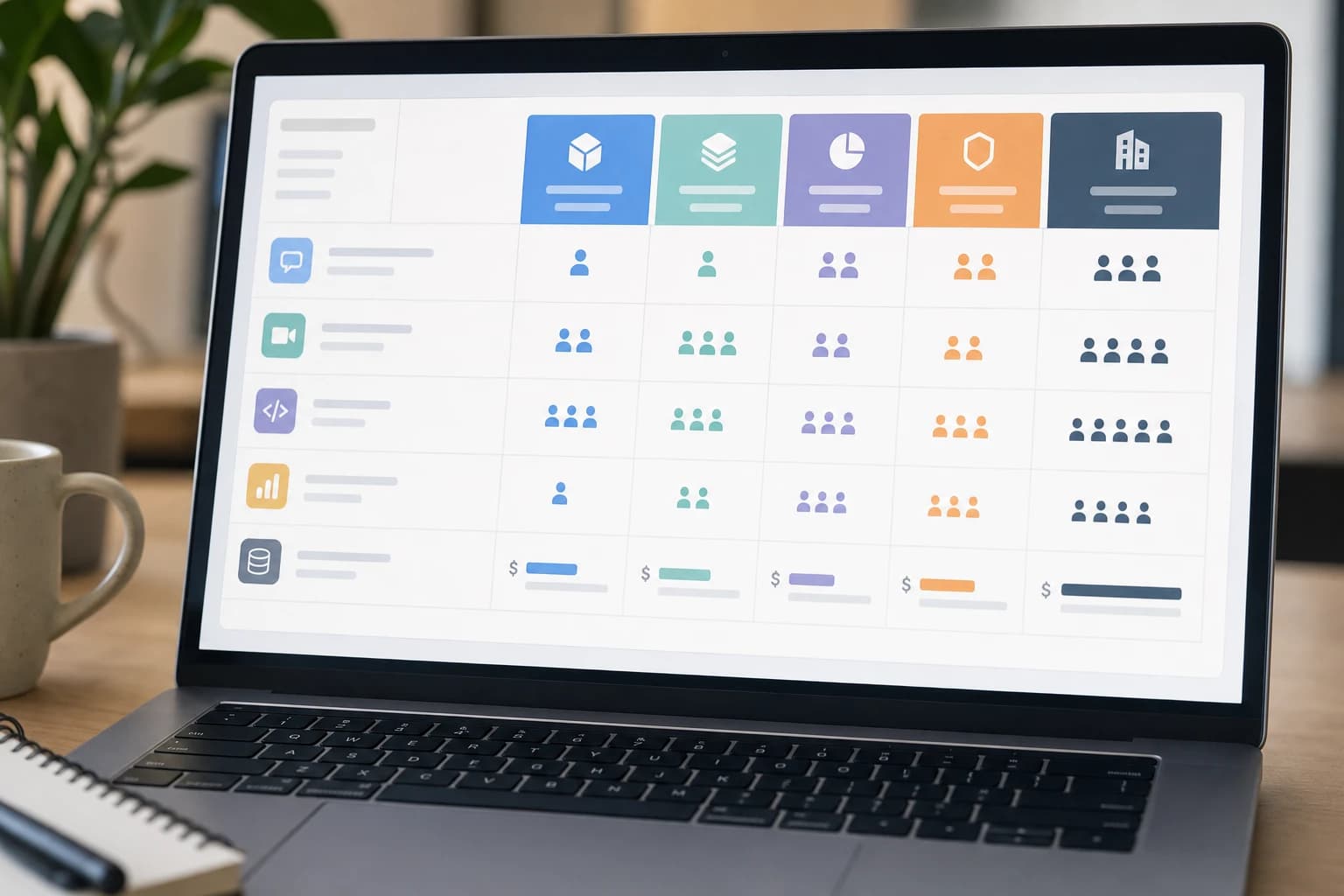
Duplicate tools are a common source of wasted budget. One team uses a document collaboration app. Another pays for a project tool with built-in docs. Sales buys a CRM with email sequences while marketing pays for a separate email automation product. Support signs up for a help desk while the shared inbox tool already includes basic ticketing.
Not every overlap is bad. A specialized product can be worth it when a workflow is mature and revenue-critical. But overlap should be intentional. If two apps do the same job, decide which one is the system of record and which one, if any, is secondary.
Run a monthly “tool overlap” check during the first year. Look for duplicated functions across notes, tasks, customer records, forms, email, analytics, file storage, and internal chat.
5. Assuming integrations will work the way you need
“Integrates with” can mean many things. It might mean a native two-way sync, a one-way data push, a simple notification, a third-party connector, or only an API that requires development work. This is one of the most overlooked startup tech stack mistakes.
Before buying, map the exact data that must move between systems. For example, if a new form tool sends leads to your CRM, check whether it can create new contacts, update existing contacts, assign owners, preserve source tracking, and handle duplicate email addresses.
If the integration relies on an automation platform, include that platform’s cost and limits in the total budget. Also consider who will maintain the connection when fields change or errors occur.
6. Forgetting data export and migration
A startup’s data is more important than the tool that stores it. Before subscribing, check whether you can export your information in usable formats such as CSV, JSON, PDF, or standard file downloads. Also check whether exports include attachments, comments, activity history, custom fields, permissions, and metadata.
Data export matters when you change tools, prepare reports, respond to customer requests, or need a backup for business continuity. A beautiful dashboard is less valuable if you cannot retrieve the underlying records cleanly.
Ask vendors or read documentation for these details:
- Can admins export all workspace data, or only individual users?
- Are exports available on all plans or only higher tiers?
- How long does the vendor retain data after cancellation?
- Can deleted records be recovered within a defined window?
- Is there an API for bulk export if the workspace grows?
7. Ignoring security settings until after a problem
Security does not have to be complicated, but it needs an owner. At minimum, startups should understand how a tool handles multi-factor authentication, user roles, permissions, device access, audit logs, password policies, and account recovery.
CISA, the U.S. Cybersecurity and Infrastructure Security Agency, recommends multi-factor authentication because it adds a layer of protection beyond a password. See CISA’s MFA guidance at cisa.gov. For SaaS buying, the practical question is whether MFA is available on the plan you are considering and whether admins can enforce it for all users.
Single sign-on, role-based access, audit logs, and advanced admin controls are sometimes limited to higher-priced enterprise tiers. If a tool will store customer data, financial records, contracts, product plans, or employee information, check security features before signing a contract.
8. Skipping cancellation and renewal terms
Subscription terms matter. Some SaaS tools renew automatically. Some annual contracts cannot be reduced until the renewal date. Some vendors require notice a specific number of days before renewal. Some discounts apply only to the first term.
Read the order form and terms before approval. Save a copy of the signed agreement, renewal date, cancellation window, billing contact, and support contact. Put renewal reminders on a shared calendar at least 30 days before the deadline, or earlier if the contract requires more notice.
This is not just a legal concern. It is basic SaaS subscription management. A startup that tracks renewals can renegotiate, downgrade, consolidate, or cancel before budget is locked for another cycle.
9. Not assigning a tool owner
Every paid SaaS tool should have one internal owner. The owner does not need to be technical. Their job is to know why the tool exists, who uses it, what it costs, where admin access lives, and when it renews.
Without an owner, nobody removes former contractors, reviews permissions, audits seats, updates billing details, or checks whether the tool is still needed. This is how small subscriptions become permanent background costs.
SaaS buying comparison table: what to check before you pay
| Buying criterion | What to check | Why it matters for startups |
|---|---|---|
| Pricing model | Per user, per usage, per workspace, per feature, or annual contract | Prevents surprises as the team grows or usage increases |
| Seat rules | Paid seats for admins, viewers, guests, clients, contractors, and inactive users | Controls cost when you add temporary or external collaborators |
| Free-plan limits | Caps on users, records, storage, automations, history, support, and exports | Shows when the free plan will block normal work |
| Integrations | Native sync, one-way push, API, webhook, or third-party connector | Determines whether the tool fits your actual workflow |
| Data export | Formats, admin export rights, attachment export, activity history, and API access | Reduces migration risk and protects access to company records |
| Security controls | MFA, SSO, roles, permissions, audit logs, session management, and recovery options | Protects sensitive data and helps enforce basic access control |
| Admin visibility | User list, activity reports, billing dashboard, and seat management | Makes it easier to remove unused seats and former users |
| Support and reliability | Support channels, response expectations, status page, documentation, and backup options | Important when the tool supports customer-facing or revenue-critical work |
| Cancellation terms | Renewal date, notice period, refund policy, downgrade rules, and data retention | Avoids unwanted renewals and rushed migrations |
A practical startup software buying guide
Use this lightweight process before buying any SaaS product that will hold customer data, cost more than a small team lunch each month, or become part of a recurring workflow.
What you need
- A shared spreadsheet or table for subscriptions
- One 30-minute workflow discussion with the team that will use the tool
- One admin email or shared company-owned account for billing notices
- Access to the vendor’s pricing, security, integration, and cancellation documentation
Time required: 60 to 90 minutes for a simple tool; 2 to 4 hours for a core tool such as CRM, finance, support, analytics, or project management. Difficulty: beginner to moderate.
- Name the workflow. Write exactly what the tool will do. Example: “Track inbound leads from website form to booked demo” is better than “Improve sales.”
- List current users and next-stage users. Count who needs full access now, who only needs view access, and who may need access after the next hiring phase.
- Calculate cost at three headcounts. Model the monthly and annual price at your current team size, at 10 users, and at 25 users. Include add-ons and automation platforms if needed.
- Check integrations with real data fields. Do not stop at “it integrates.” List the exact fields and events that must sync, such as lead source, lifecycle stage, owner, renewal date, or invoice status.
- Review export options. Confirm how admins can export data and whether exports include the information your team will actually need later.
- Check minimum security settings. Look for MFA, role permissions, account recovery, audit logs, and the ability to remove users quickly.
- Read cancellation and renewal terms. Save the renewal date, notice requirement, and downgrade rules in your subscription tracker.
- Assign an owner. Make one person accountable for seats, billing, permissions, and whether the tool is still useful.
- Run a short pilot. If possible, test the tool with one real workflow and a small group before moving the whole company.

When free SaaS plans stop being enough
A free plan is no longer enough when it creates operational risk or forces awkward workarounds. Upgrade, consolidate, or switch when one of these signs appears:
- Your team shares one login because the free plan has a user limit.
- You cannot enforce MFA or basic permissions for sensitive data.
- Exports are incomplete or unavailable.
- Automation limits require manual copying between systems every week.
- Important history disappears after a short retention window.
- Storage limits cause people to delete useful records or move files to personal accounts.
- Support limitations are slowing customer-facing work.
Paying for software is not the problem. Paying too late can be a problem if the free plan encourages unsafe habits. Paying too early can also be a problem if the workflow is not mature. The right time to upgrade is when the paid feature removes a real bottleneck, protects important data, or saves more time than it costs.
How to keep SaaS subscription management under control
Startups do not need complex procurement systems in the beginning. A simple subscription register is enough if it is kept current. Track the tool name, purpose, owner, billing email, plan, price, seat count, renewal date, cancellation notice, data stored, security notes, and whether the tool overlaps with another app.
Review the register monthly. Remove inactive users, cancel unused trials, compare actual users with paid seats, and flag tools that no longer have an owner. Before hiring quickly, review whether new employees need full paid seats in every tool or only access to a few systems.
If your company is remote or hiring remotely, also think about onboarding and access removal. A clean process for interviews and remote work setup helps avoid unnecessary tool access. This remote job interview setup checklist is written for candidates, but the setup points can also remind founders what software and permissions remote workers may need.
Red flags before signing a SaaS contract
- The vendor cannot clearly explain how pricing changes as seats or usage increase.
- Exports are limited, manual, or only available on a much higher plan.
- Security features you need are locked behind an enterprise tier you cannot afford.
- The tool requires a long annual commitment before you have tested a real workflow.
- Cancellation terms are unclear or hidden in a separate document.
- No one on your team is willing to own administration after purchase.
Founder-friendly recommendations
First, standardize categories before standardizing brands. Decide what systems your startup needs: communication, task management, file storage, CRM, support, billing, analytics, documentation, and security. Then choose tools within those categories.
Second, keep the number of systems of record small. Customer data should not be equally “official” in five places. Decide where each important record lives: customer profile, contract, invoice, product feedback, support ticket, and internal decision.
Third, avoid buying for a future company that does not exist yet. It is sensible to check whether a tool can scale, but overbuying enterprise software for a five-person startup can add process before the team needs it.
Finally, revisit decisions. The best tool at five people may not be the best tool at 25. A quarterly stack review is enough for many early teams: what do we use, what do we pay, what overlaps, what creates risk, and what should we remove?
FAQ: SaaS buying mistakes for startups
How many SaaS tools should a startup use at the beginning?
There is no fixed number. A practical starting point is one tool per essential workflow: communication, task management, file storage, customer tracking, billing, and support if needed. Add tools only when a real workflow cannot be handled well by the current stack.
Is annual billing a bad idea for startups?
Not always. Annual billing can make sense for a proven, critical tool with stable users and clear ownership. It is risky for untested tools because you may be locked into a product before knowing whether the team will adopt it.
What is the easiest way to reduce startup software costs?
Start by auditing seats. Remove inactive users, downgrade people who only need view access, cancel duplicate tools, and check whether paid add-ons are still used. Seat cleanup is often faster than switching vendors.
Which SaaS security features should a small startup check first?
Check multi-factor authentication, admin-controlled user access, role-based permissions, account recovery, and audit logs. If the tool stores sensitive customer or company data, confirm whether these features are included in the plan you can afford.
What should be in a SaaS subscription tracker?
Track the tool name, purpose, owner, billing email, plan, cost, seat count, renewal date, cancellation notice, data stored, security settings, and related tools. Keep it in a shared location, not in one founder’s private notes.
Conclusion
The biggest SaaS buying mistakes for startups come from moving faster than the workflow. A tool may be affordable, popular, and easy to start, but it can still create problems if the team ignores pricing, exports, security, integrations, renewals, and ownership.
Choose software with a simple discipline: define the workflow, model the cost, check the exit path, secure the account, and assign an owner. That approach keeps the first tech stack lean, useful, and easier to change as the startup grows.