

Small business customer support often starts simply: one shared inbox, a few repeat questions, and a busy owner trying to reply between sales calls. The problem is that support work grows unevenly. Some days are quiet, while other days bring order issues, refund questions, onboarding confusion, and urgent complaints all at once.
This guide shows how to build an AI customer support workflow for small business use without pretending that AI can replace good service. The goal is practical: centralize requests, answer common questions faster, route sensitive issues to a person, and keep a clear record of what happened.
The simple version: what your workflow should do
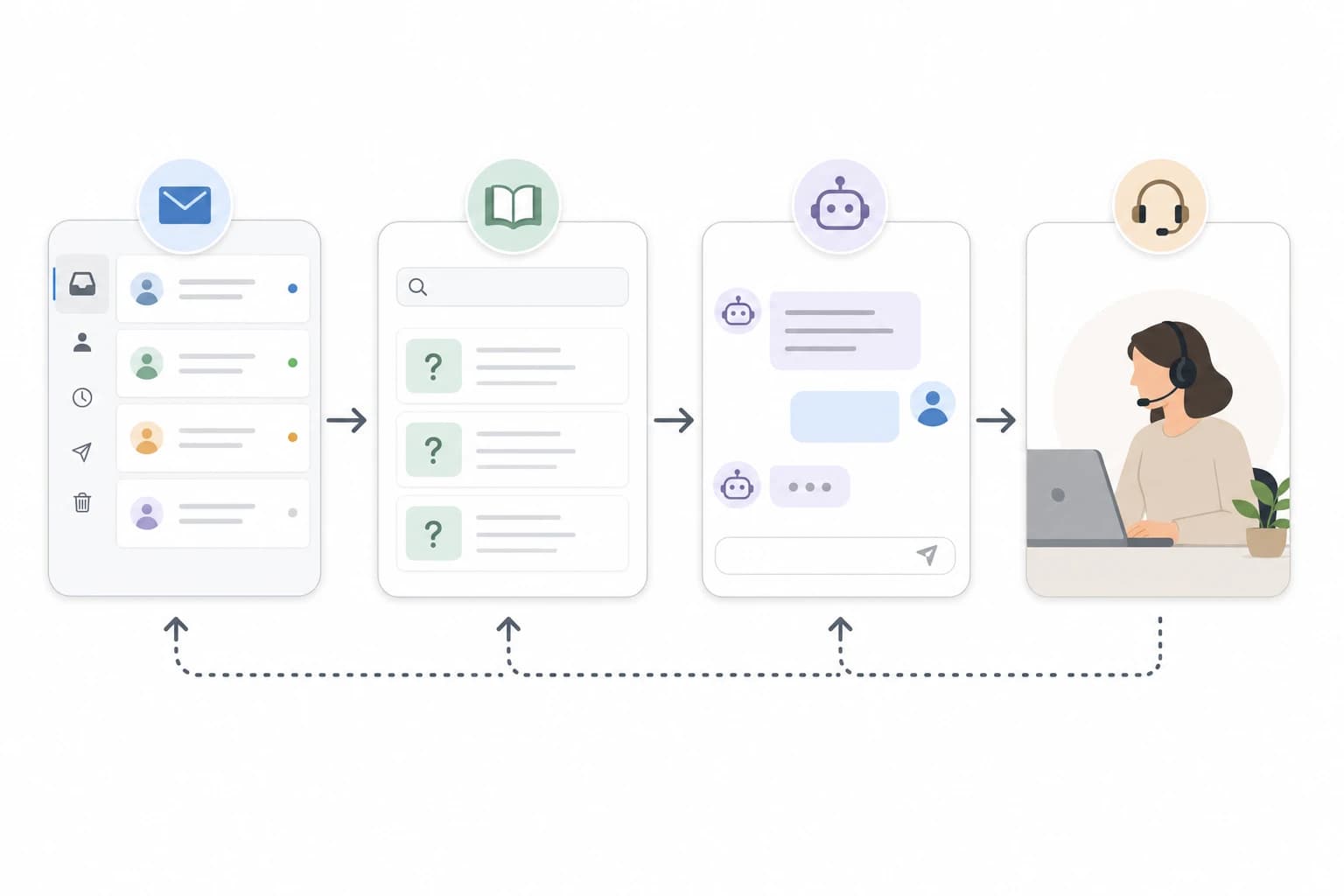
A useful small business support workflow does four jobs. First, it collects every customer request in one place instead of scattering them across email, social media messages, contact forms, and chat widgets. Second, it uses a clear FAQ or knowledge base as the source of truth. Third, it lets an AI chatbot answer predictable questions from that approved content. Fourth, it escalates anything unclear, emotional, expensive, private, or high-risk to a human.
Think of AI as a first-line assistant, not a decision-maker. It can help with questions such as store hours, return steps, appointment preparation, shipping timelines, setup instructions, or how to reset a password. It should not be left alone to approve refunds, promise custom discounts, diagnose technical failures beyond documented fixes, or handle angry customers without human review.
This balance matters because AI systems can misunderstand context or produce confident but incorrect answers. The U.S. National Institute of Standards and Technology describes AI risk management as an ongoing process of mapping, measuring, managing, and governing AI risks, which is a useful mindset for even a very small business. You can read the framework at NIST AI Risk Management Framework.
Tools you need before you automate
You do not need a large software stack. For a simple small business support workflow, start with tools that are easy to maintain and that your team will actually use.
- Help desk or shared inbox: Examples include Help Scout, Freshdesk, Zendesk, Front, or a shared Gmail/Google Workspace inbox if volume is still low.
- FAQ or knowledge base: This can live inside your help desk, on your website, or in a structured document while you are starting.
- AI chatbot for small business support: Choose one that can be limited to your approved help articles, not one that freely answers anything.
- Customer data source: This may be your ecommerce platform, booking system, CRM, or order database. Connect only what is necessary.
- Escalation rules: Written rules for when the bot must hand off to a person.
- Owner or support lead: One person should be responsible for reviewing answers, updating FAQs, and checking quality weekly.
Estimated setup time: 4 to 8 focused hours for a basic version if your FAQs already exist, or 1 to 2 weeks if you need to write them from scratch. Difficulty: beginner to intermediate. You should be comfortable using web apps, forms, and settings pages, but you do not need to code.
If you already use project tools for client work, your support workflow should connect cleanly with your operations. For example, service businesses can compare task systems in Asana vs Trello vs ClickUp for client projects, while teams organizing shared documentation may find Google Drive vs Dropbox vs OneDrive for remote team file management useful.
Step-by-step: build the workflow
1. List your top 20 support questions
Before choosing software, identify what customers actually ask. Review your last 30 to 60 days of emails, chat messages, form submissions, and social media DMs. Copy recurring questions into a spreadsheet with three columns: question, current answer, and where the answer lives.
A small retail business might find repeated questions about delivery times, returns, product sizing, damaged orders, and gift cards. A local service business might see questions about appointment changes, deposits, preparation steps, service area, and cancellation policies. A software consultant might receive setup, invoice, login, and scope questions.
Do not automate rare edge cases first. Start with questions that are frequent, low-risk, and easy to answer from a written policy.
2. Create one source of truth for answers
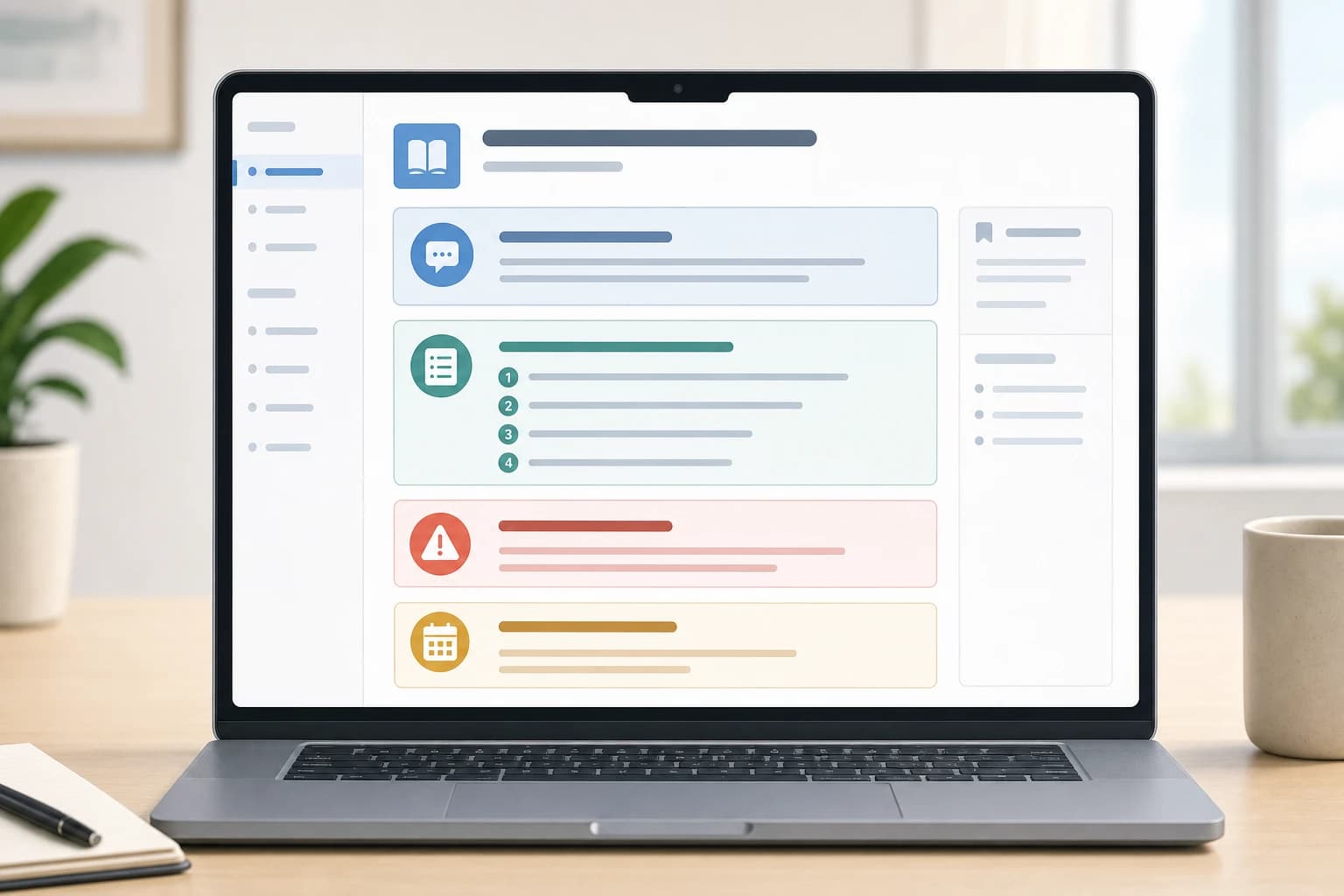
An AI chatbot is only as useful as the content it is allowed to use. Build a short knowledge base with plain-language answers. Each article should answer one topic and include any limits. For example, instead of a vague article called Policies, create separate articles such as Return window, How to change an appointment, Shipping delays, and What to do if an item arrives damaged.
Use a consistent format:
- Question: Write the customer version of the question.
- Short answer: Give the direct answer in 2 to 4 sentences.
- Steps: Add numbered instructions when the customer must do something.
- When to contact us: Tell the customer when a human should help.
- Last reviewed date: Add a date so stale policies are easier to spot.
Keep your wording specific. If your return window is 14 calendar days from delivery, say that. If appointment changes require 24 hours notice, say that. If an answer depends on the customer account, tell the bot to ask for human review instead of guessing.
3. Choose a help desk that matches your request volume
The help desk is the control center for customer support automation. It should capture every message as a ticket, show the conversation history, assign ownership, and make it easy to see unresolved issues.
For a very small business, the most important features are not advanced dashboards. Look for shared inboxes, saved replies, tags, internal notes, basic reporting, and chatbot or knowledge base integration. If multiple people answer customers, make sure the system prevents two employees from replying to the same ticket at the same time.
Compare your workflow components
| Component | Main job | Good for | Human review needed? |
|---|---|---|---|
| Shared inbox or help desk | Collects and tracks all requests | Email, contact forms, chat handoffs, order questions | Yes, for unresolved tickets and quality checks |
| FAQ knowledge base | Stores approved answers | Policies, instructions, troubleshooting, service details | Yes, whenever policies change |
| AI chatbot | Answers common questions from approved content | Low-risk repeat questions and after-hours guidance | Yes, especially for failed answers and escalations |
| Escalation rules | Moves sensitive or unclear issues to a person | Refunds, complaints, account-specific cases, legal or billing issues | Always |
| Saved replies | Helps humans answer faster | Consistent responses that still need personalization | Yes, before sending |
4. Configure the AI chatbot with strict boundaries
When setting up AI tools for customer service, look for settings that let you control the answer source. The safer setup is retrieval-based: the chatbot searches your approved help articles and answers from that material. Avoid letting it invent answers to questions your business has not documented.
Set a short welcome message that is honest about what the bot can do. For example: The assistant can answer common questions about orders, appointments, policies, and setup steps. If it cannot help, it will connect you with our team. This is clearer than pretending the customer is speaking with a human.
Configure the bot to ask clarifying questions only when useful. If a customer asks, Where is my order?, the bot can ask for an order number, but it should not expose private account information unless your systems and privacy settings are designed for that. If you are unsure, let the bot collect the question and create a ticket for a person.
5. Write escalation rules before launch
Escalation rules protect customer trust. They also prevent the bot from creating more work by giving weak answers. Start with exact triggers.
- Escalate if the customer uses words such as angry, cancel, refund, chargeback, complaint, broken, urgent, legal, or manager.
- Escalate if the question involves payment, personal data, medical information, legal terms, account access, or a custom quote.
- Escalate after 2 failed bot answers in one conversation.
- Escalate if the customer directly asks for a human.
- Escalate high-value customers or active sales opportunities if your CRM can identify them reliably.
Set expectations during handoff. A good message is: I am going to send this to our team so they can review the details. We usually reply during business hours. If you promise an exact response time, make sure you can meet it consistently.
6. Add simple tags and priorities
Tagging makes help desk automation measurable. Use a small set of tags at first: shipping, returns, billing, booking, technical issue, complaint, sales question, and bug report. Too many tags create clutter and inconsistent reporting.
Use priority levels sparingly. A practical starting system is urgent, normal, and low. Urgent might mean the customer cannot use a paid service, an order is time-sensitive, or a complaint could become a public issue. Normal covers most customer questions. Low can include feedback, general suggestions, or non-urgent admin requests.
If you need to connect incoming leads with follow-up tasks, the ideas in automating lead follow-ups with a form, CRM, and email tool can also apply to support handoffs.
7. Test with real examples before customers see it
Do not launch after only asking the bot friendly questions. Use real messages from past support conversations, with personal details removed. Test at least 25 questions: 15 common questions, 5 unclear questions, and 5 questions that should escalate.
For each test, record whether the answer was correct, incomplete, too long, too confident, or properly escalated. Rewrite the FAQ when the bot gives a poor answer because the source article was vague. Change escalation settings when the bot tries to answer something it should not handle.
8. Launch in a limited way
Start with one channel, such as the website chat widget or contact page, rather than every support channel at once. Keep the first version narrow: answer FAQs, collect contact details, create tickets, and hand off uncertain cases. Avoid automating refunds, cancellations, account changes, or custom promises until you have a strong review process.
For the first two weeks, review bot conversations daily. Look for unanswered questions, incorrect responses, annoyed customers, and repeated topics that need better articles. After the workflow stabilizes, a weekly review is often enough for a small team.
Common mistakes that make AI support worse
The biggest mistake is treating AI as a full replacement for support. Customers usually notice when a business hides behind automation, especially when they are upset or dealing with money. A better approach is to let AI remove repetitive friction while making human help easier to reach when it matters.
Another mistake is connecting too much data too soon. If the chatbot only needs your return policy, it does not need broad access to customer records. Start with the least access required and expand carefully.
A third mistake is never updating the knowledge base. If your policies change, the bot can keep repeating old information unless the source content is corrected. Assign one person to review top articles at least monthly, and immediately after changes to pricing, delivery, returns, service scope, or appointment rules.
Finally, avoid measuring success only by fewer tickets. A falling ticket count is not useful if customers are abandoning the chat frustrated. Track answer quality, escalation quality, and customer comments along with volume.
Useful metrics to watch
- Bot containment rate: The share of conversations solved without a human. Higher is not always better; compare it with complaints and repeat contacts.
- Escalation accuracy: Whether sensitive or unclear questions reach a person quickly.
- Top unanswered questions: The best source for new FAQ articles.
- First response time: How quickly customers receive an initial useful response.
- Repeat contact rate: Whether customers ask again because the first answer did not solve the issue.
A practical starter workflow you can copy
Here is a simple workflow that works for many small shops, agencies, consultants, and local service businesses:
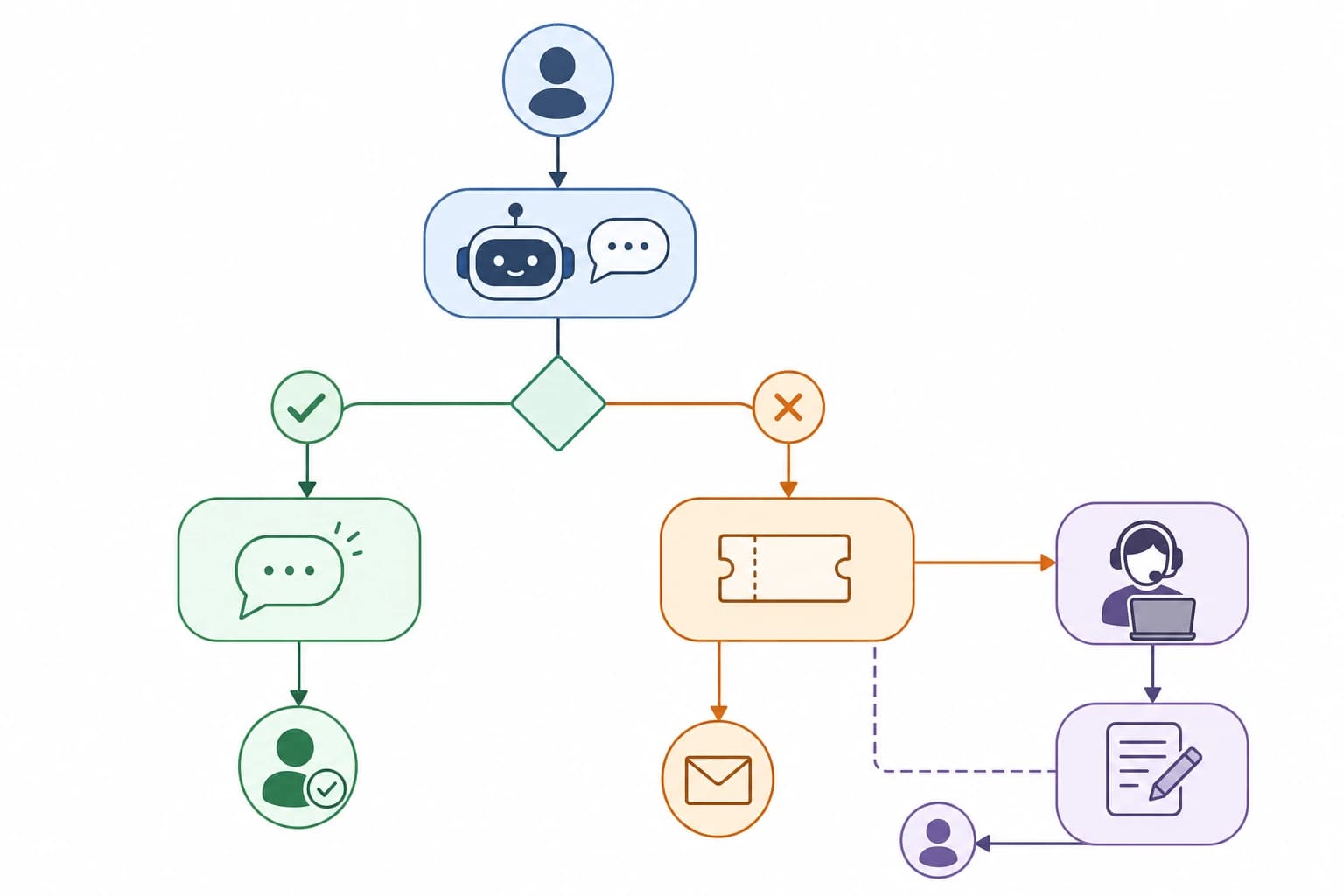
- Customer sends a message through email, contact form, or website chat.
- The help desk creates one ticket and adds the source channel automatically.
- The chatbot answers only if the question matches an approved FAQ topic.
- If the customer asks about refunds, billing, complaints, custom work, account access, or anything unclear, the bot creates a ticket for a human.
- The ticket receives one required tag and one priority level.
- A team member replies with a saved reply, personalized to the customer situation.
- If the same question appears repeatedly, the support lead updates or creates a knowledge base article.
- Once a week, the owner or support lead reviews unresolved tickets, failed bot answers, and new FAQ opportunities.
This workflow is deliberately modest. It gives customers faster answers without letting automation make promises your business cannot keep.
Privacy and trust checks before launch
Customer support often includes names, email addresses, order numbers, addresses, invoices, and sometimes sensitive details. Before adding any AI chatbot, read the vendor documentation on data retention, training use, access controls, and deletion options. If you operate in a regulated industry or handle sensitive personal information, get qualified legal or compliance advice before connecting AI tools to customer records.
Also make disclosure clear. Customers do not need a long technical explanation, but they should not be tricked into thinking an automated assistant is a person. Simple wording such as AI assistant or automated support assistant is usually clearer than giving the bot a human name and no context.
FAQ
Can a small business use AI customer support without a help desk?
Yes, but it becomes harder to track conversations as volume grows. A help desk or shared inbox gives you ownership, history, tags, and escalation records. If you are receiving more than a few support messages per day, a basic help desk is usually worth considering.
What should an AI chatbot not answer?
It should not make decisions about refunds, legal terms, medical or financial issues, sensitive personal data, account access, or custom promises unless a qualified human has designed and approved that exact workflow. When in doubt, escalate.
How many FAQ articles do I need to start?
You can start with 10 to 20 strong articles that answer your most common questions. Quality matters more than volume. A small, accurate knowledge base is safer than a large collection of vague or outdated answers.
Will AI customer support save money immediately?
It may reduce repetitive work, but immediate savings are not guaranteed. You still need setup time, content maintenance, human review, and software costs. The first goal should be consistency and faster handling of common questions.
How often should I review chatbot conversations?
Review them daily during the first launch period, then weekly once the workflow is stable. Also review immediately after changing policies, prices, delivery rules, or service terms.
Conclusion
A good AI-powered support system is not the most automated one. It is the one that gives customers quick answers when the issue is simple and a clear path to a human when the issue requires judgment.
Start with your top customer questions, write a reliable knowledge base, connect a help desk, add a carefully limited AI chatbot, and define escalation rules before launch. That is enough to build a practical AI customer support workflow for small business needs without overcomplicating your service or risking customer trust.