AI meeting notes can save hours of admin work, but client meetings are not the place to treat privacy as an afterthought. A transcript may contain pricing, strategy, health details, legal issues, hiring plans, product roadmaps, or personal information. The best AI note taking app for client meetings is not simply the one with the most polished summary. It is the one that helps you capture useful notes while giving you clear control over consent, storage, access, deletion, exports, and integrations.
This guide explains how to compare AI note-taking tools through a privacy-first framework. It is written for freelancers, consultants, agencies, coaches, and small teams that want better meeting summaries without creating unnecessary confidentiality risk.

The short answer: choose the tool with the least data risk that still fits your workflow
A secure AI note taker should do four things well: notify participants clearly, record only what you need, protect the transcript after the meeting, and let you delete or export data easily. If an app produces excellent summaries but makes it hard to understand where transcripts are stored or whether data is used to improve models, it may not be the right choice for client work.
For many professionals, the safest shortlist starts with tools already covered by the business systems they use every day, such as Microsoft 365, Google Workspace, Zoom, or another platform with admin controls and a signed data processing agreement. Dedicated AI transcription tools for business can still be a good fit, especially when they offer consent settings, retention controls, role-based access, and clean exports. The key is to compare them on risk, not only on convenience.
Privacy guidance from the U.S. Federal Trade Commission emphasizes that businesses should collect only what they need, protect what they keep, and dispose of data securely when it is no longer needed. You can read the FTC’s business privacy and security guidance at ftc.gov/business-guidance/privacy-security. NIST’s Privacy Framework also provides a useful way to think about identifying, governing, controlling, communicating, and protecting privacy risks: nist.gov/privacy-framework.
What an AI note-taking app actually does in a client meeting
Most AI meeting notes privacy questions start with a simple misunderstanding: people think the app only creates a short summary. In reality, many tools may capture several layers of meeting data.
- Audio or video recording: Some apps store the original recording; others process it temporarily and keep only the transcript.
- Transcript: A text version of the conversation, often searchable and shareable.
- AI summary: A condensed version with topics, decisions, questions, and action items.
- Speaker labels: Names or guessed speaker identities, which may be wrong and may expose who said what.
- Metadata: Meeting title, attendees, calendar details, timestamps, email addresses, and linked files.
- Integrations: Automatic syncing to CRM, Slack, Notion, Google Docs, Microsoft OneDrive, project management tools, or email.
That means your choice is not just about transcription accuracy. It is also about whether confidential client information can spread into other systems without review. If you need a broader productivity setup, compare AI notes with your existing note system too. Kez10’s guide to best note-taking apps for organized notes can help you decide where summaries should live after a call.
A privacy-first comparison table for AI meeting note apps
Use this table before you compare pricing pages. It focuses on the criteria that matter most when client confidentiality is involved.
| Criteria | What to look for | Why it matters for client meetings | Red flag |
|---|---|---|---|
| Consent and participant notice | Visible meeting bot name, pre-meeting notice, join message, or host-controlled consent workflow | Participants should know when transcription or recording is happening | The app silently records or makes notice hard to configure |
| Recording method | Choice between bot attendee, native platform recorder, or manual upload | Some clients dislike third-party bots joining calls; native tools may feel less intrusive | No way to pause, stop, or exclude sensitive parts of a meeting |
| Data retention | Custom deletion schedule, manual deletion, and admin retention policies | Keeping transcripts forever increases risk if accounts are compromised later | Unclear retention period or no bulk delete option |
| Model training and data use | Clear policy on whether customer content is used to train or improve AI systems, with opt-out or business plan controls | Client information should not be reused beyond the purpose you agreed to | Vague language such as “we may use data to improve services” without detail |
| Access controls | Role-based permissions, private meetings by default, SSO or 2FA support, workspace admin settings | Not every teammate needs every client transcript | All workspace members can browse all meetings by default |
| Transcript accuracy | Strong performance with accents, multiple speakers, industry terms, and names; custom vocabulary if available | An incorrect transcript can create wrong action items or misrepresent a client decision | No way to edit speaker names, correct transcript text, or flag uncertainty |
| Summary quality | Clear decisions, open questions, risks, deadlines, and owner-based action items | A good summary should reduce follow-up work, not create a second editing project | Long generic summaries with no owners, dates, or next steps |
| Integrations | Selective syncing to CRM, project tools, cloud storage, and email | Automation is useful only if sensitive notes do not go to the wrong place | Automatic sharing to channels or CRMs with no approval step |
| Export and portability | Download transcript, summary, audio, and notes in common formats such as TXT, DOCX, PDF, CSV, or Markdown | You may need to store notes in your own client file or move away from the vendor later | Data is trapped in the app or exports omit key details |
| Pricing and plan limits | Meeting-hour limits, storage limits, admin controls, retention features, and number of users included | The cheapest plan may omit the privacy controls you actually need | Security features are available only after an opaque sales process |
Common types of AI transcription tools for business
There is no single category winner because different meeting environments create different privacy trade-offs. Compare the type of tool before you compare individual brands.
1. Built-in meeting platform tools
Examples include AI or transcription features inside Microsoft Teams, Google Meet, Zoom, and similar platforms. The main advantage is vendor reduction: if your business already manages users, storage, and compliance settings in one suite, keeping transcripts there may be simpler than sending client calls to another app.
The limitation is flexibility. Built-in summaries may not match the structure you prefer, and some advanced features may require a higher-tier business plan or add-on. Always check current plan details because feature names and availability change frequently.
2. Dedicated AI meeting assistants
Tools such as Otter.ai, Fireflies.ai, Fathom, tl;dv, Avoma, and similar services often specialize in meeting summaries, searchable transcripts, speaker labels, action items, and CRM or project management integrations. They can be very convenient for consultants and agencies that work across many client platforms.
The trade-off is that you are adding another vendor to your data chain. Before adopting one, read the privacy policy, security page, data processing terms, and help articles on retention, deletion, and model training. Do not assume every plan has the same controls.
3. Local recording plus separate transcription
For sensitive work, some professionals prefer to record locally only when appropriate, then upload selected audio to a transcription provider or process it in a controlled environment. This approach can reduce automatic sharing and bot-related awkwardness, but it requires more manual discipline. You must manage consent, file storage, deletion, and access yourself.
4. General note apps with AI features
Some note-taking apps now offer AI cleanup, summarization, or voice transcription. These can be useful for solo notes after a meeting rather than full meeting capture. They may be a better fit when you do not need a verbatim transcript but want to turn your own notes into a cleaner recap.
Step-by-step: how to choose a meeting summary app for freelancers and small teams
You can complete a sensible first evaluation in about 90 minutes, plus one or two real-world pilot meetings after you have consent. The goal is not to test every feature. It is to find the lowest-risk tool that solves your most common note-taking problem.
What you need before comparing apps
- A list of your 3 most common meeting types, such as sales calls, strategy sessions, onboarding calls, or project check-ins
- A sample client confidentiality requirement or contract clause, if you have one
- Your current meeting platforms, such as Zoom, Google Meet, Microsoft Teams, or phone calls
- Your preferred storage location for final notes, such as Google Drive, OneDrive, Dropbox, Notion, or a CRM
- A short test script with 10 proper nouns, 5 action items, and 3 technical terms from your work
- A checklist for consent, retention, access, integrations, and export formats
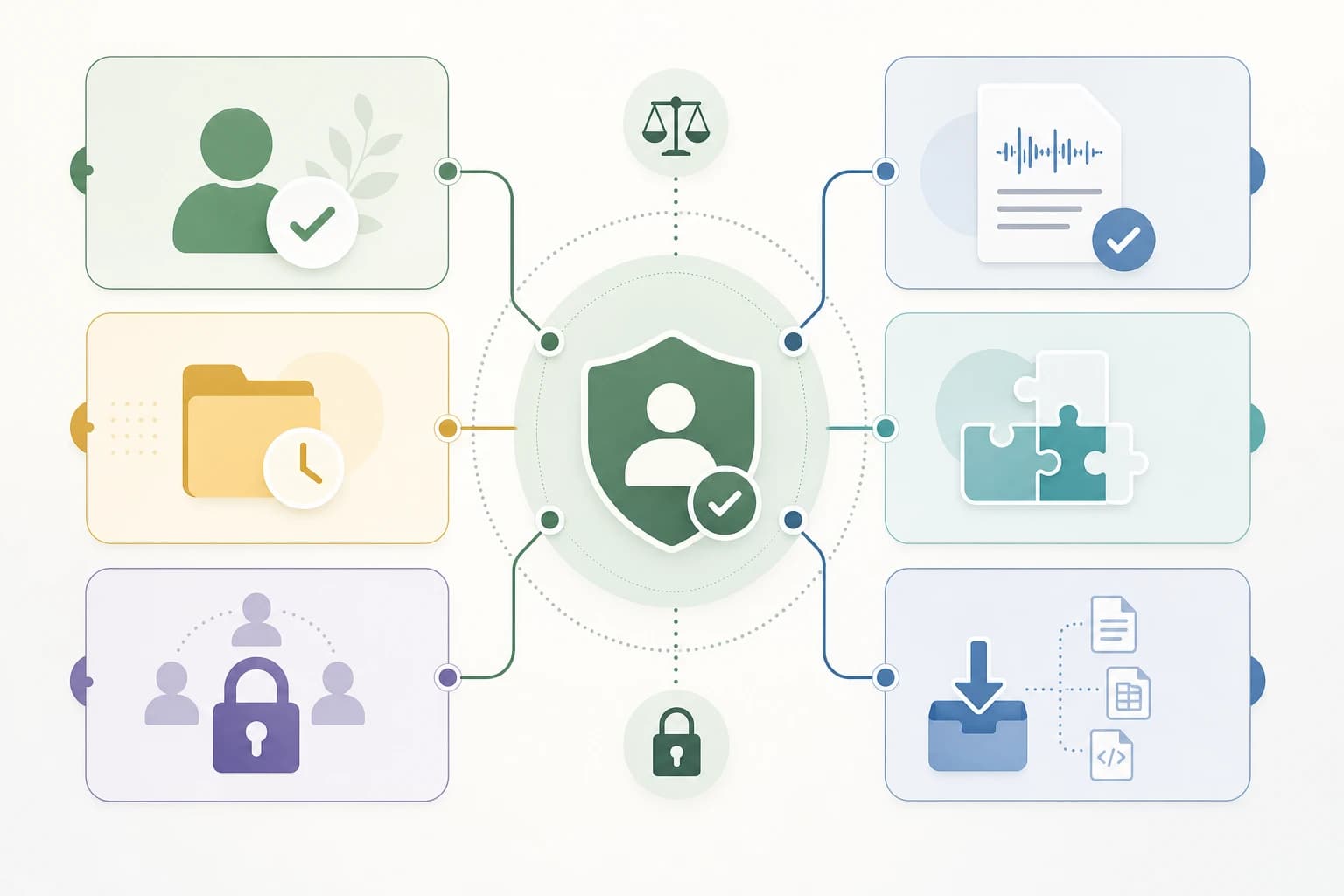
- Define what you are allowed to record. Review client contracts, NDAs, industry obligations, and your own privacy promises. This is not legal advice, and recording rules vary by location and context. If you operate across borders or handle regulated information, ask a qualified professional before recording client calls.
- Choose your default capture level. Decide whether you need full audio, full transcript, AI summary only, or manual notes enhanced by AI. For many routine client check-ins, a summary plus action items is enough. For interviews, research calls, or technical discovery, a transcript may be more useful.
- Check consent features before signing up. Look for a join message, calendar invite disclosure, visible bot name, host controls, and an easy way to stop transcription. Create a short plain-language notice such as: “I use an AI note-taking tool to create a transcript and action-item summary for this meeting. Please let me know if you prefer that I turn it off.”
- Review retention and deletion controls. Pick a default retention period. For example, a freelancer may keep meeting summaries for the life of a project but delete raw audio after the recap is approved. A small agency may keep transcripts for 30, 60, or 90 days depending on project needs. The exact period should match your contracts and business requirements.
- Test transcript accuracy with your real vocabulary. Run a short test using names, product terms, acronyms, and client-style phrasing. Check whether the app confuses speakers, misses deadlines, or turns technical terms into common words. If it gets more than one or two critical items wrong in a 10-minute test, see whether custom vocabulary or manual correction fixes the issue.
- Limit integrations at first. Do not connect every CRM, Slack workspace, and project board on day one. Start with one export path, such as saving a PDF recap to a client folder or sending action items to a task manager after manual review. If you are building a wider admin workflow, see Kez10’s guide to automation tools for freelancers.
- Pilot with low-risk meetings. Use the tool first on internal meetings or client calls that do not include sensitive personal or strategic information. After each meeting, ask: Was the notice clear? Was the summary accurate? Did the transcript go only where intended? Could you delete it easily?
Privacy settings you should verify before using an AI note taker with clients
Before the first client call, open the app’s admin or account settings and look for these controls. If you cannot find them, search the vendor help center or contact support before proceeding.
- Default sharing: New meeting notes should be private by default unless you intentionally share them.
- Calendar access: Limit which calendars the app can scan. Avoid granting access to personal calendars if not needed.
- Auto-join settings: Disable automatic joining for every meeting unless you are comfortable with the app appearing in all calls.
- Recording storage: Check whether audio, video, transcript, and summaries are stored separately and whether each can be deleted.
- Training controls: Confirm whether your content may be used to train or improve AI models, and whether business accounts can disable that use.
- Two-factor authentication: Enable 2FA where available, especially if meeting notes include client-sensitive information.
- Workspace permissions: Separate internal notes from client-facing recaps. Restrict access by project or client when possible.
- Export controls: Test exports before you need them. Make sure the format preserves decisions, action items, dates, and speaker context.
Small teams should also treat AI meeting notes as part of their cybersecurity process. A transcript database is a valuable collection of client information. For practical security basics, review the small business cybersecurity checklist.
Client confidentiality risks that are easy to miss
The biggest risk is not always a dramatic data breach. More often, it is ordinary oversharing: a transcript is sent to the wrong email list, synced to a public project board, or retained long after the project ends.
- Calendar titles can reveal sensitive work. A meeting called “Acquisition discussion” or “Employee termination planning” may be imported into the AI tool as metadata.
- Action items can expose strategy. Even a short summary may reveal budgets, vendors, risks, and internal deadlines.
- Speaker labels can be wrong. If the app attributes a statement to the wrong person, the recap may create confusion or reputational harm.
- Automatic CRM logging may be too broad. A sales call summary belongs in the CRM; a confidential negotiation detail may not.
- Old transcripts become forgotten liabilities. If you no longer need raw meeting data, keeping it indefinitely rarely helps.
If your work involves sensitive legal, medical, financial, HR, security, or regulated data, do not rely on a general article to decide what is permissible. Review your contracts and applicable rules, and choose vendors that explicitly support your compliance needs.
How to evaluate accuracy without pretending AI is perfect
AI transcription has improved, but it is still vulnerable to ordinary meeting problems: people talking over each other, poor microphones, unstable internet, background noise, accents, uncommon names, and industry jargon. A confident-looking summary can still contain mistakes.
Use a simple accuracy check. In a 10-minute test meeting, include 10 names or proper nouns, 5 action items, 3 dates, and 3 specialized terms. After the transcript is generated, check whether the app captured each item correctly. Pay special attention to negative statements such as “do not launch on Friday” because a missed negative can reverse the meaning.
For client-facing recaps, treat AI output as a draft. Review the summary before sending it. Correct names, deadlines, numbers, commitments, and anything that could be interpreted as approval. If a decision was unclear, write “to be confirmed” instead of turning an uncertain discussion into a false conclusion.
Pricing: what to compare beyond the monthly fee
AI note-taking app pricing changes often, so do not choose based on a single advertised number. Compare what is included in the plan you would actually use.
- Meeting limits: Some plans limit transcription minutes or number of meetings per month.
- Storage: Audio and video storage may be limited separately from text notes.
- Security features: SSO, admin controls, retention policies, and advanced permissions may require a business or enterprise plan.
- Integrations: CRM or project management integrations may be restricted to higher tiers.
- Exports: Check whether you can export transcripts and summaries without upgrading.
- Guest or client access: Some tools charge per internal user, while others may create share links for external recipients.
If a cheaper plan lacks retention controls, private defaults, or reliable exports, it may be more expensive in practice because it creates manual cleanup work. For a wider view of software selection trade-offs, read common SaaS buying mistakes startups make.

A practical checklist before your first client meeting
- Confirm that recording or transcription is allowed for this client and meeting type.
- Add a clear AI note-taking notice to the calendar invite when appropriate.
- Disable auto-join for meetings where the tool is not needed.
- Set notes to private by default.
- Turn on two-factor authentication for the account.
- Review whether content is used for model training or service improvement.
- Choose a retention period for raw audio and transcripts.
- Limit integrations to one approved destination at first.
- Test export and deletion before using the tool on important calls.
- Review every client-facing summary before sending it.
Which tool should you choose?
Use the following decision patterns instead of looking for one universal winner.
- Solo freelancer with low-risk client check-ins: Choose a meeting summary app for freelancers that has clear consent prompts, private notes, easy deletion, and exports to your existing note system.
- Consultant handling sensitive strategy: Favor tools with business-grade admin controls, retention settings, limited integrations, and a clear policy on AI training. Consider whether built-in tools from your existing business suite reduce vendor sprawl.
- Small agency with multiple account managers: Prioritize role-based access, workspace controls, client-by-client organization, and CRM syncing that can be reviewed before publishing.
- Team already standardized on Microsoft 365 or Google Workspace: First evaluate the transcription and AI features inside that ecosystem. If they meet your needs, fewer vendors may mean fewer places for client data to travel.
- Highly regulated or confidential work: Do not use a general-purpose AI note taker until you have confirmed contractual, legal, security, and compliance requirements. You may need a specialized vendor or a stricter internal process.
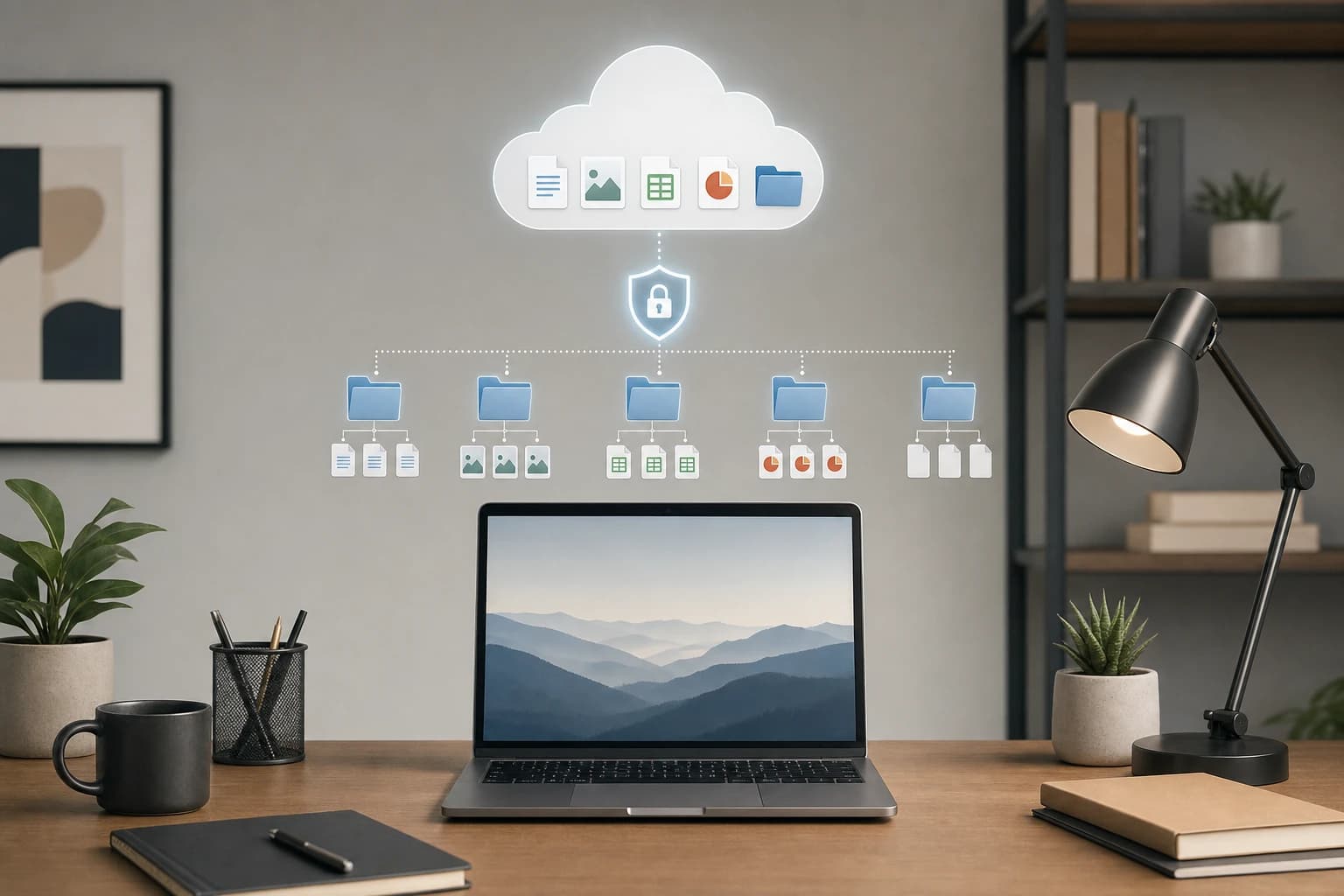
Also think about where the final notes will be stored. If your team saves recaps in cloud folders, permissions matter as much as the AI tool itself. Kez10’s comparison of Google Drive, Dropbox, and OneDrive for small teams can help you tighten that part of the workflow.
FAQ
Is it legal to use an AI note-taking app in client meetings?
It depends on your location, the client’s location, the type of meeting, and your contracts. Recording and consent rules vary. Use clear notice, get permission when needed, and seek legal advice for regulated or high-risk work.
What is the most important privacy feature in an AI meeting note app?
Consent and retention controls are the first things to check. Participants should know when transcription is happening, and you should be able to delete raw audio, transcripts, and summaries when they are no longer needed.
Are built-in meeting platform transcripts safer than third-party AI note takers?
Not automatically. Built-in tools may reduce the number of vendors involved, but you still need to review storage, sharing, admin settings, and retention. Third-party tools can be appropriate if they provide stronger workflow features and clear privacy controls.
Should I send AI-generated meeting summaries directly to clients?
No. Treat the summary as a draft. Review names, dates, decisions, numbers, and action items before sending. AI can misunderstand context or turn an open discussion into a firm commitment.
Do I need to keep full transcripts?
Often, no. Many professionals only need a reviewed summary and action-item list. Keeping full transcripts can be helpful for detailed discovery calls, but it also increases storage, access, and confidentiality risk.
What should freelancers look for first?
Freelancers should look for simple consent messaging, private-by-default notes, easy exports, deletion controls, and a price plan that includes the privacy features they need rather than only more transcription minutes.
Conclusion
The best AI note taking app for client meetings is the one that fits your workflow without turning every conversation into a permanent, widely shared data record. Start with consent, retention, access, and exports. Then compare accuracy, summaries, integrations, and pricing.
A good privacy-first setup is usually simple: tell people when you use AI notes, record only what you need, review summaries before sharing, store them in the right client folder, and delete raw data when it no longer serves a purpose. That approach gives you the productivity benefit of AI meeting notes while respecting the confidentiality clients expect.